AllMyNotes Organizer - Features
One app. One encrypted local file. Everything inside.
No cloud required. No subscription. No account. Just install, open, and start organizing everything that matters - notes, passwords, ideas, contacts, plans, and more. Here's what's waiting for you:
Stronghold-like Data Encryption
•  Data file can be Encrypted at a binary level. Just enter a Password to protect your notes against risk to be seen! We are using low-level 1800-bit key also when password is unspecified, to save no human-readable traces of your private information on a PC or USB stick!
• Restrict the access to selective folders by a password.
• Click here for more details and facts on our storage file engine.
Instant data Search features
• Powerful Global Search feature, for searching text across all your records with different search params. Filter-on-typing for quick, real-time. Global search supports powerful Google-like queries (*).
(*) Example: query "+Hi +James -Moon" will find all docs that contain words Hi and James (in any order) and do not contain keyword Moon inside.
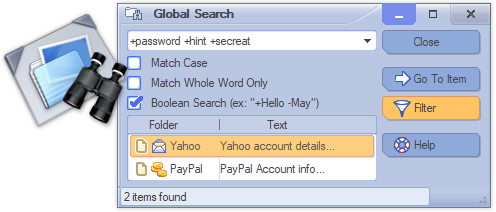
• Search/Replace text within notes with automatic highlighting of all matches texts - highlighting appears when you type text in a search window, in real-time.
Brilliant and Intuitive UI
• Localized in number of Languages (English, Dutch, German, Spanish, French, Swedish, Italian, Portuguese (+Brazilian Portuguese), Japanese, Greek, Polish, Czech, Croatian, Korean, Mainland Simplified Chinese, Taiwan Simplified Chinese, Traditional Chinese, Bulgarian, Hungarian, Serbian, Latvian, Russian, Ukrainian, Turkish, Slovenian, Indonesian, Amharic, and if you don't see your language here, please help us to localize the app in your language, it's rewarded, click here for details...)
• Flexible toolbar editor - to adjust application to your personal needs.
• 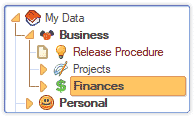 Comfortable tree-structured organization. With ability to prioritize Notes and build Task-lists.
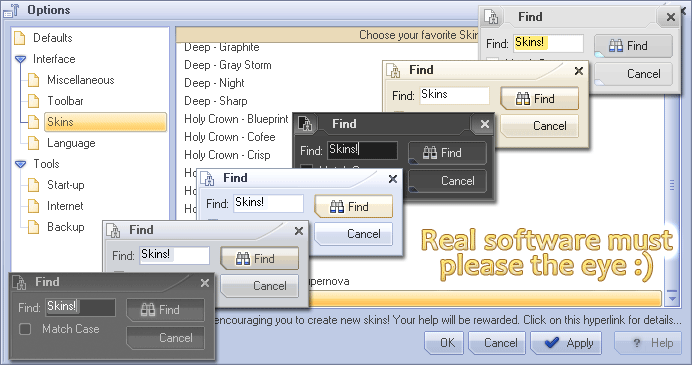
• Wealth of options to customize the program options and user interface.
• Number of Skin themes available to please your eyes.
Advanced Text Editing features
• Advanced Rich-Text editor with different formatting features, automatic hyperlinking of URLs, e-mail, phones, file attachments, tables, and images.

• Advanced Tables with ability to quickly sort range of rows content by any column.
• File Attachments of any kind can be inserted directly in to the text. For graphical files, a preview is shown.
• Supported Internal hyperlinks to Notes and Folders in the hierarchy tree.
• A Spell-Checker with support of many additional languages.
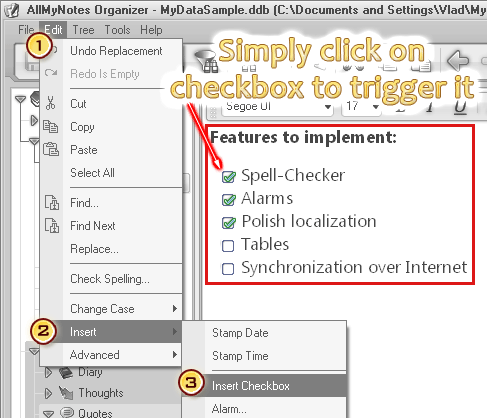
• Insert Checkboxes right in to the text and trigger them by mouse click :)
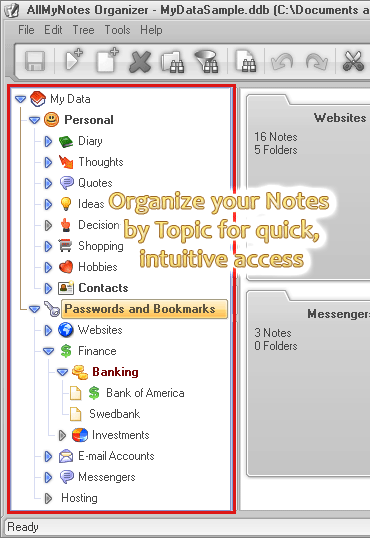
Adaptable data tree Representation
• Organize Notes in Folders hierarchy, group them by topic for quick access.
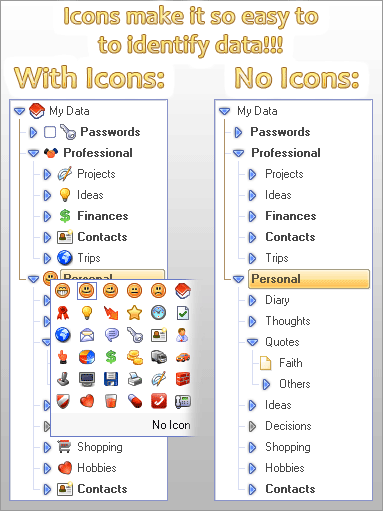
• Assign Icons to your data for intuitive navigation
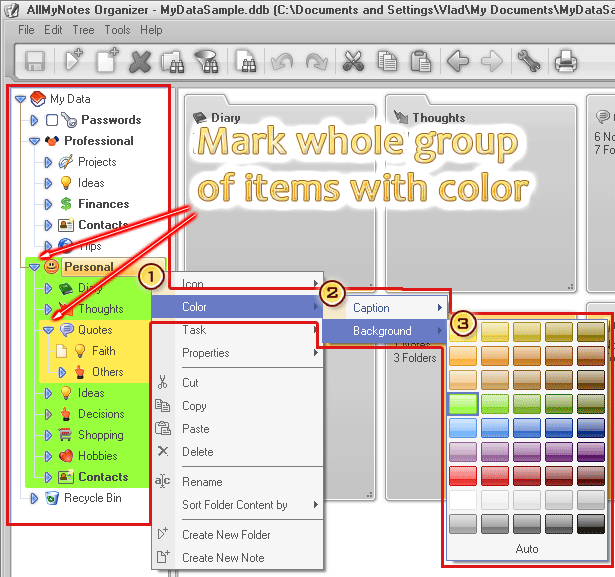
• Colorize Folders.
• Add Tasks and manage Priorities to items in the outline tree.
Alarms and Reminders
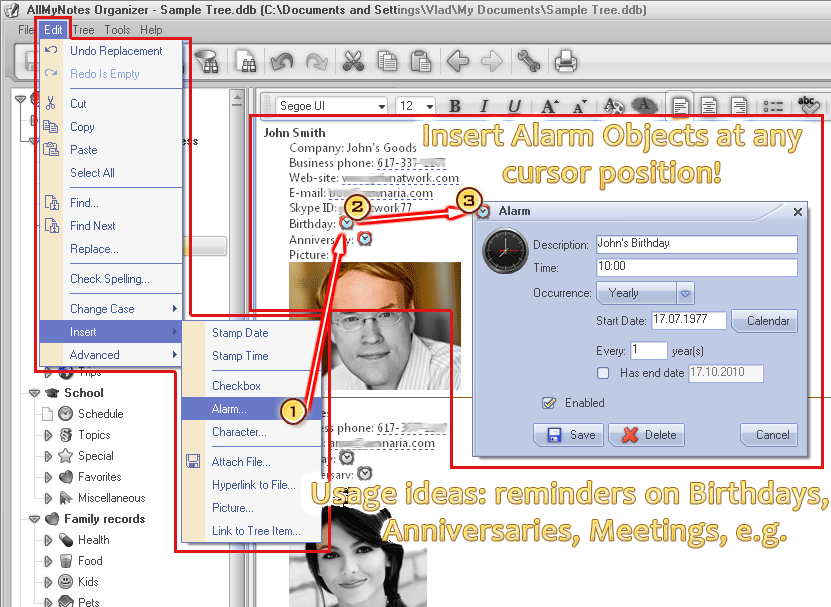
• Add multiple Alarm Objects directly in to the Note text!
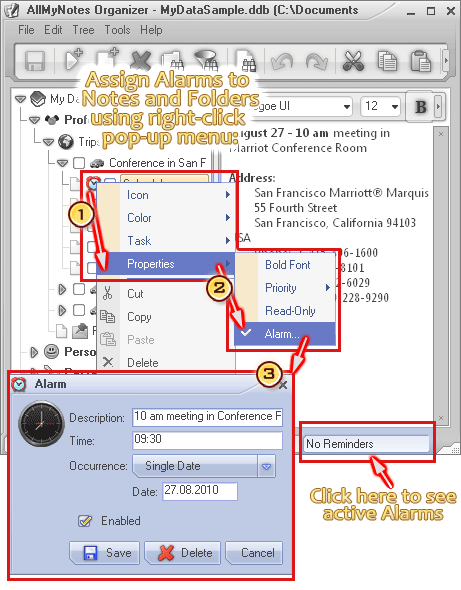
• Alarm and Reminder system allows associating alarms to Notes and Folders to never miss a date!
Your data, Safe - always and automatically
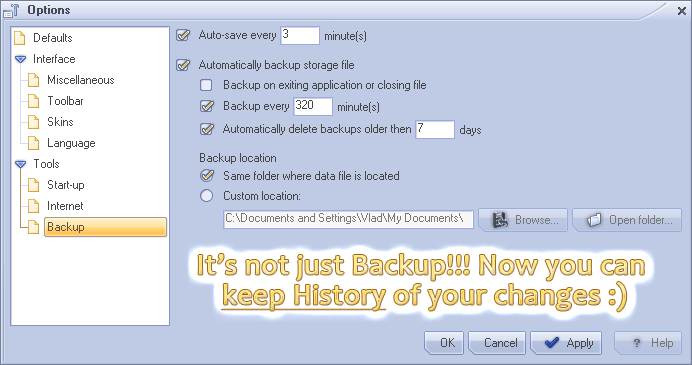
• Auto DB file backups. You can schedule backups to happen every number of minutes, or on exiting from the application. Backup files do not overwrite each other, which allows keeping history of your backups.
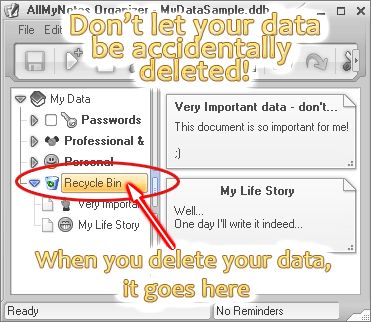
• Deleted items are moved to the Recycled Bin folder to avoid accidental deletion.
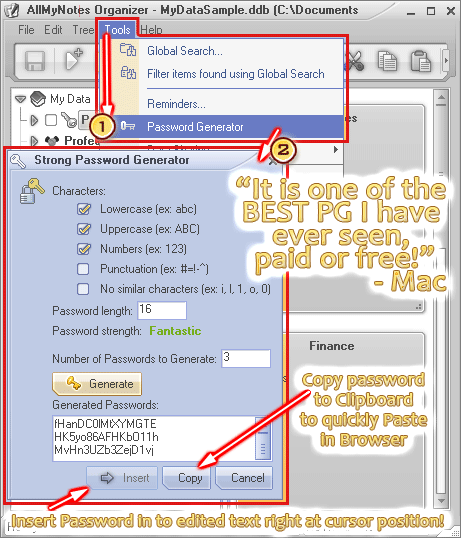
Built-in Strong Password Generator - never reuse a weak password again
• Generate unique passwords for all your accounts - right inside the app, without switching tools.
Data Importing and Exporting
• Importing from following file formats - RTF, CSV, TXT, HTML, Evernote (.enex), and KNT files.
• Export to following file formats RTF, HTML, and TXT file formats.
Usability features
• Many drag-and-drop features: Drag in files and folders, quickly reorder documents in the tree and even move them between folders.
• Convenient keyboard shortcuts for all editing and file-management commands.
Quick data Capture
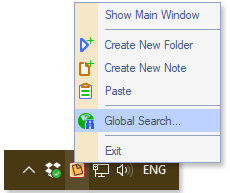
• Quickly capture clipboard content and access to commonly used features via system tray menu.
Phone Dialer
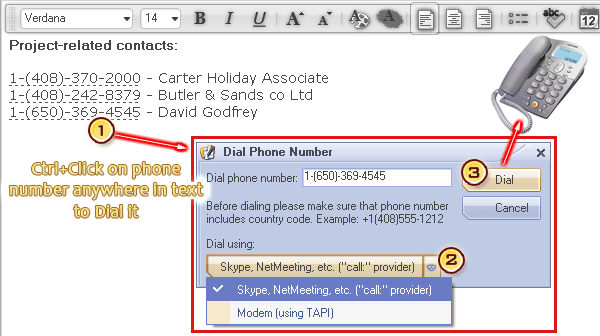
• Easily Ctrl+Click on phone number in the text. Supported Skype, NetMeeting, TAPI, and other call providers.
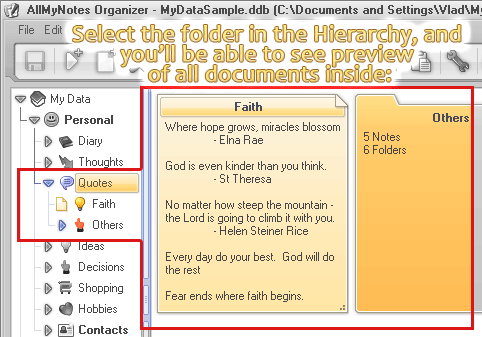
Folder Preview
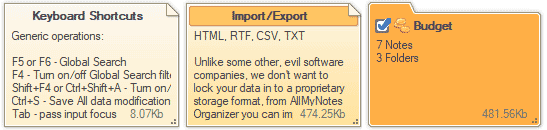
• The view for convenient preview of Notes and Folders.
Real people behind the app
• We're a small team - messages go directly to the developers, not a call center. Reach us here.
• Feature requests genuinely shape the roadmap. Many things in AllMyNotes exist because a user asked for them. See what's been added recently.
Portable application version available!
•  Portable version is available for case when you need to store all your data handy on USB disk, iPad, or external HDD. Add to this strongly encrypted data storage format with access password-protection, and you'll get an incredible software to store yours sensible private data with you everywhere :)
There is much more to say, lot's of reading might be boring, rather, please take a look at Screens, many interesting features displayed there.
AllMyNotes Organizer is actively developed - new features and fixes land regularly. See the full What's New list.
Seen enough? Let's get you started.
Lite is free forever. Deluxe unlocks everything above. Try either one - no credit card, no registration.
 System requirements: Windows XP and all higher versions - 11/10/8/7/Vista/XP, compatible with both 32-bit and 64-bit systems. Works under Linux and Mac (WineHQ-like environment required).